How to Choose a Car Phone Holder for Navigation
Compare mount locations, check clearance and fit, and set up navigation while parked.
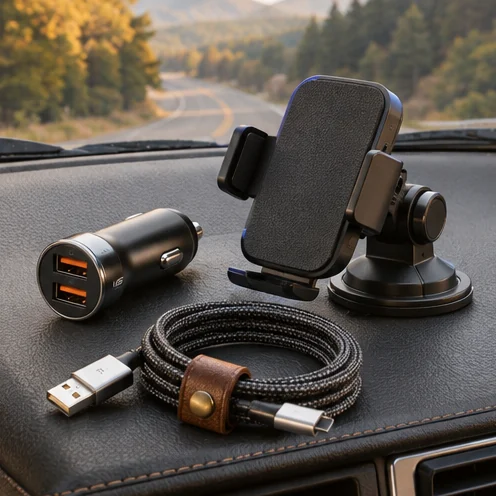
Choose a holder that supports your phone and case without blocking the road view, controls, or airbag areas. Try the placement while parked and set your route before moving. If you already use the vehicle’s built-in screen for navigation, you may need a safe place to store and charge the phone without adding a mount.
Compare mounting locations
| Location | When it may work | When to skip it |
|---|---|---|
| Dashboard | Factory-approved surface with enough level area | It obscures controls, sightlines or an airbag area. |
| Vent | Stable, compatible vent slats that support your phone | The vent can’t support the mount or the assembly prevents normal control and airflow. |
| Windshield | Placement is allowed on your route and the view stays clear | Your location restricts it or it enters your field of view. |
| Center console | Accessible storage for a phone connected to the built-in screen | The cable interferes with shifter, controls, or passengers. |
Windshield placement laws can vary. Check the rules for the jurisdictions you’ll drive through before choosing a windshield mount. Follow the vehicle manual for airbag and dashboard areas, and follow the holder’s weight, case and surface instructions.
Do a parked fit test
- Sit in your normal driving position with the parking brake set. Check that the holder doesn’t cover the road, an instrument or a control you need.
- Fit the phone with the case you travel with. The mount should hold it without pressing buttons or interfering with its charger.
- Route the cable along a place where it can’t enter the pedal area or catch on the steering wheel. Check that it doesn’t strain the socket.
- Set the destination and audio directions. Put the phone in Do Not Disturb if available. If you need to change settings, pull over safely and park first. NHTSA distracted-driving guidance
Shop for the mounting style that passed your fit test. Recheck the attachment after moving the holder between vehicles or when a surface has become dusty.
If two people share the car, check the position from both normal seat settings. A mount that sits below one driver’s sightline can be harder for someone shorter to see around. Set up routes on a built-in display instead if there’s no suitable mounting position.
FAQ
Is hands-free phone use distraction-free? It can still divert attention. A holder’s purpose here is to keep the device stored securely. Reroute, reply and pick music before departure or while parked.
Does a magnetic mount work through every case? No. Compare the holder’s compatibility list with your phone and case. A thick, textured or accessory-loaded case may require a different design.